


The new release introduces a new data model, database export, updated VBA and COM commands, and new user documentation.
Database Export with a New Data Model
With INOSIM BICON 2026, you can now save your simulation exports directly to a database for the first time. This keeps your results in one central location—ready for comparison, management, and analysis. BICON 2026 supports export to PostgreSQL and SQLite. We have developed a new data model tailored to relational databases for database export.
Since multiple exports can be stored in the same database, you can easily compare simulation runs and analyze simulation scenarios in detail. The screenshots below show a Python-based proof-of-concept application that was created with minimal effort thanks to AI support.
Updated VBA and COM Interfaces
The commands for VBA and the COM interface have been adapted to the new export feature. This allows you to control database exports as usual from within your model or from external applications.
New User Documentation
The BICON user documentation has been completely redesigned from a technological standpoint: the modern interface offers a language selection feature as well as an improved search function. This ensures you can find what you’re looking for – even in the “dark”, since the BICON Help now features a dark mode.
Performance and Stability
In addition to general bug fixes and performance improvements, the speed of repeated exports has been increased compared to BICON 2025 (when using a database). Compared to the first BICON versions 1 and 2, BICON is many times faster: for a comprehensive simulation model with a 30-day simulation horizon and approximately 2 minutes of simulation time, the export takes only 5 to 10 seconds.
Outlook
This release lays the foundation for future developments: In the future, visualizations will be displayed directly in BICON, and the presentation of results in INOSIM will become more user-friendly.
Install BICON 2026 Now
BICON 2026 is now available in the download section. If you do not yet have a license, please feel free to contact us.
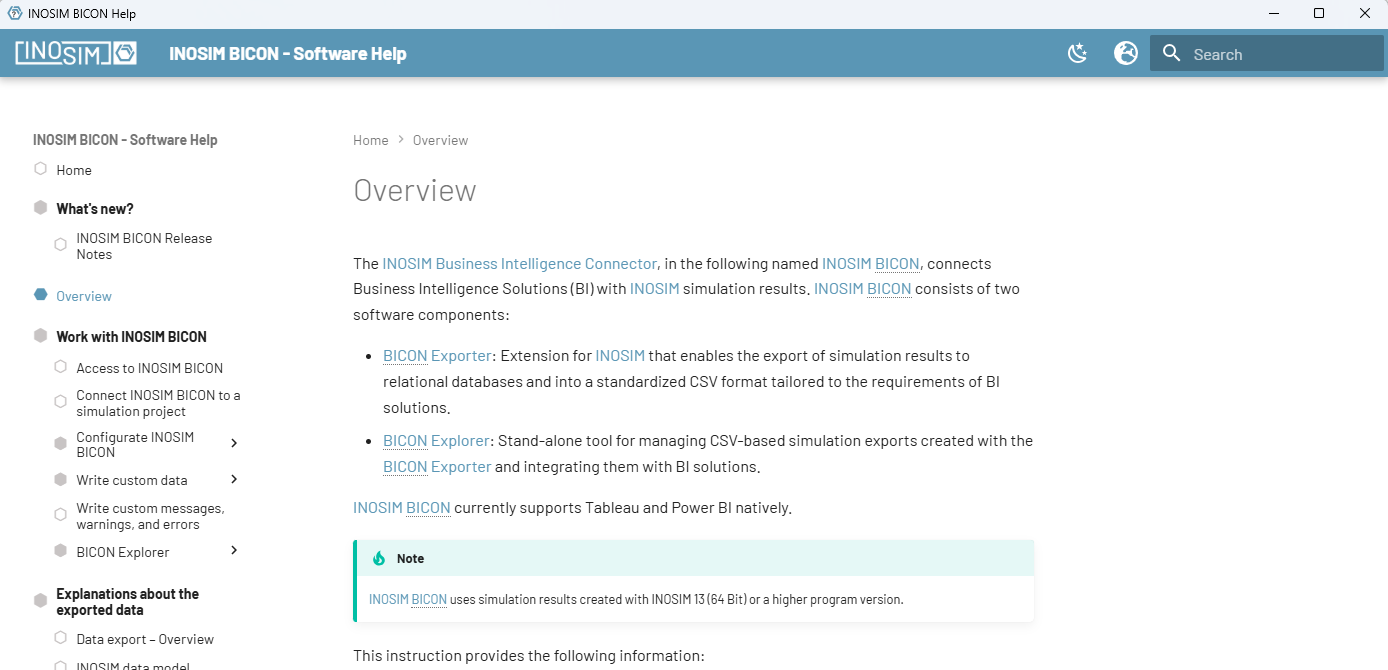
New user documentation in BICON 2026
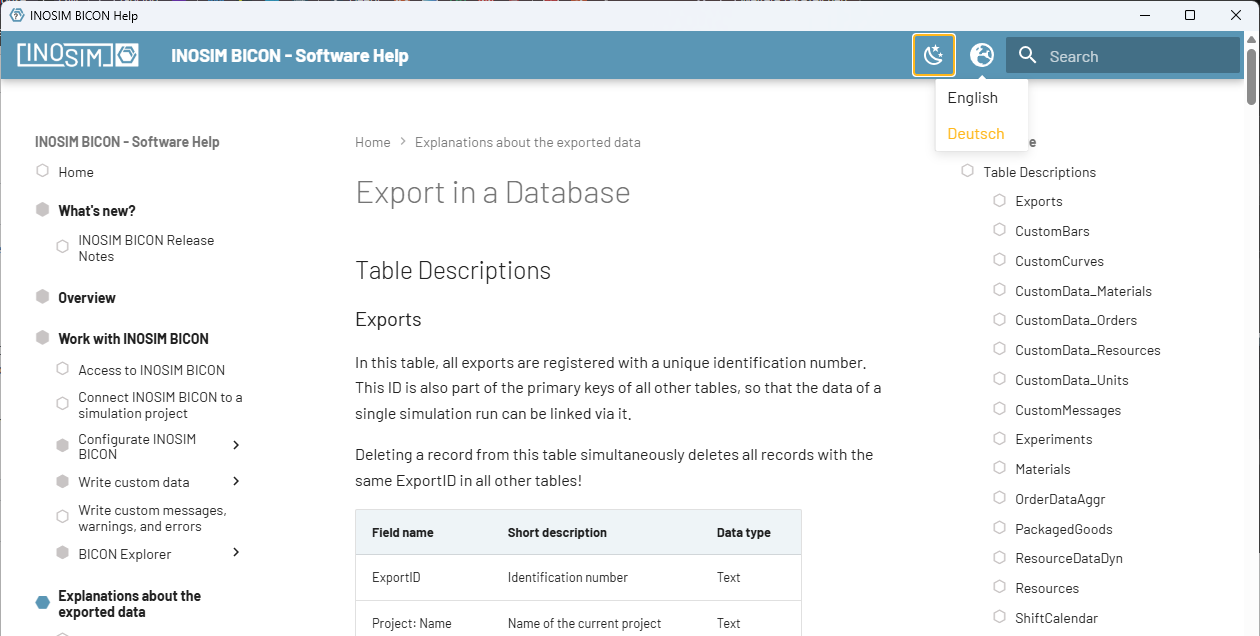
Language and Darkmode selection
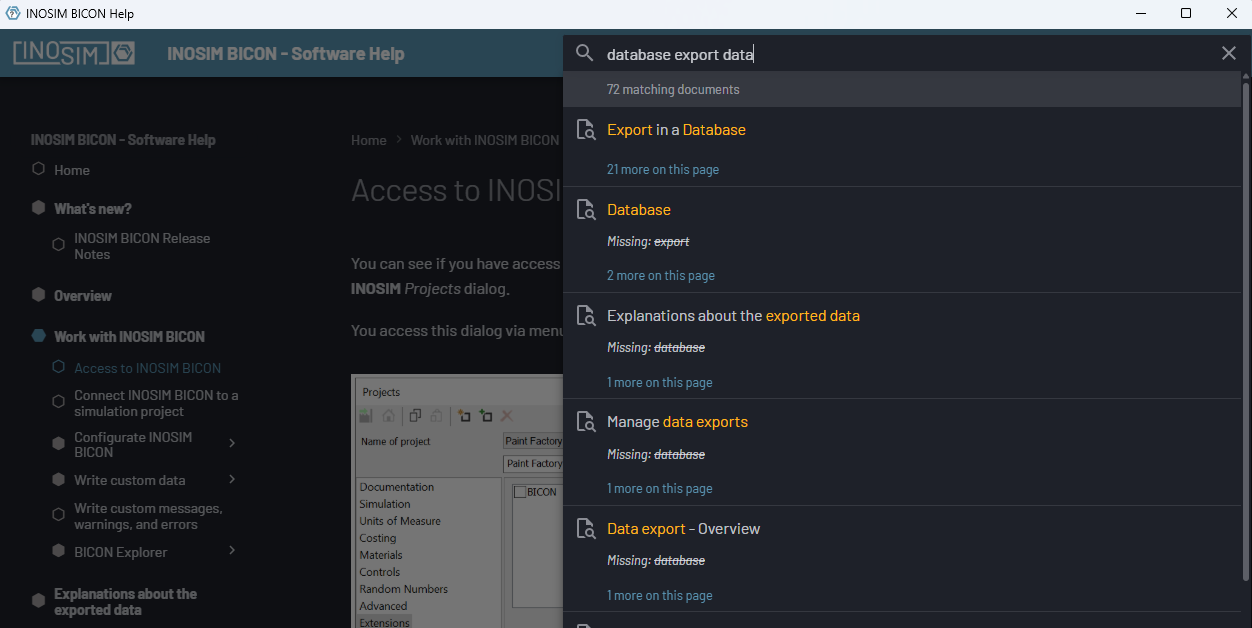
Search function (here in Darkmode)
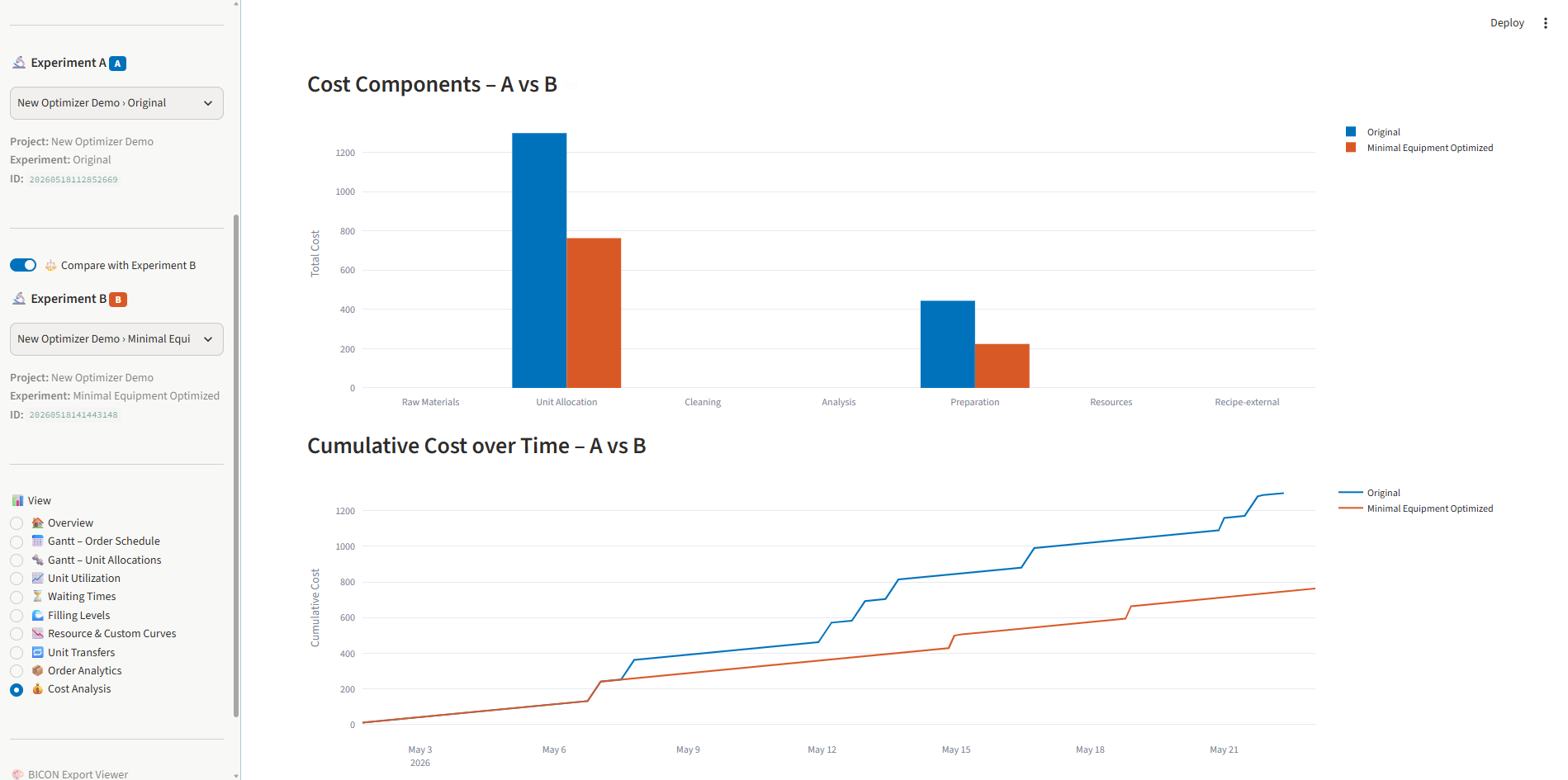
Example Visualization (vibe-coded in 5 min)
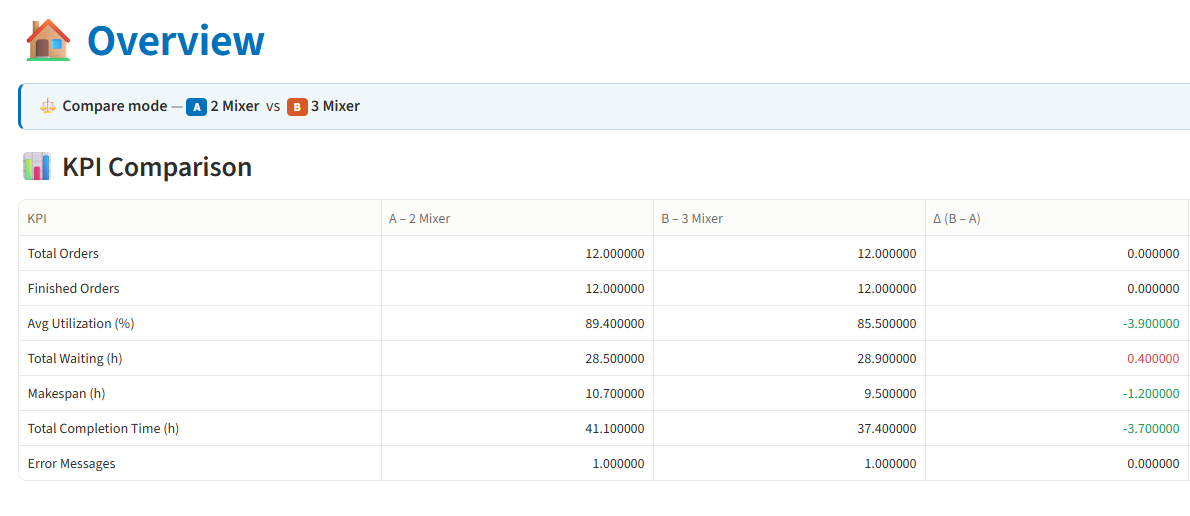
Example Visualization (vibe-coded in 5 min)
Do you have any questions or would like to know more about this topic? Please contact us.
 General Inquiries